Three AI models. One table. Real deliberation.
AI Senate is a desktop workspace where ChatGPT, Claude, Gemini, Grok and DeepSeek participate in the same conversation as independent senators. You moderate. You compare perspectives. You run structured 3-round debates and extract hybrid consensus.

You use your own native ChatGPT, Claude, Gemini, Grok and DeepSeek accounts through your browser. Your data goes directly through your sessions — not through us. No tokens to buy. No metering. No surprise bills. Just a workspace that organizes the AI accounts you already have.
Three minutes of real deliberation, end to end.
A short walkthrough — Chat Mode with three senators, a structured 3-round Debate, and a Pro Consensus report. So you can see what "models actually reacting to each other" really looks like.
A workspace built for real multi-model thinking, not just parallel chat.
Most multi-model tools resell API tokens and reset context every session. AI Senate works differently — and that difference is the whole product.
No API Costs
Native browser adapters use your existing AI subscriptions. No tokens. No metering. No per-message billing. Your ChatGPT Plus or Claude Pro covers the senate.
Cross-Session Memory
Each senator runs inside its own native chat session, so models can carry context across runs through the provider's own chat history and memory behavior. The more you use AI Senate, the more your senators tend to feel like a coordinated team.
3-Round Structured Debate
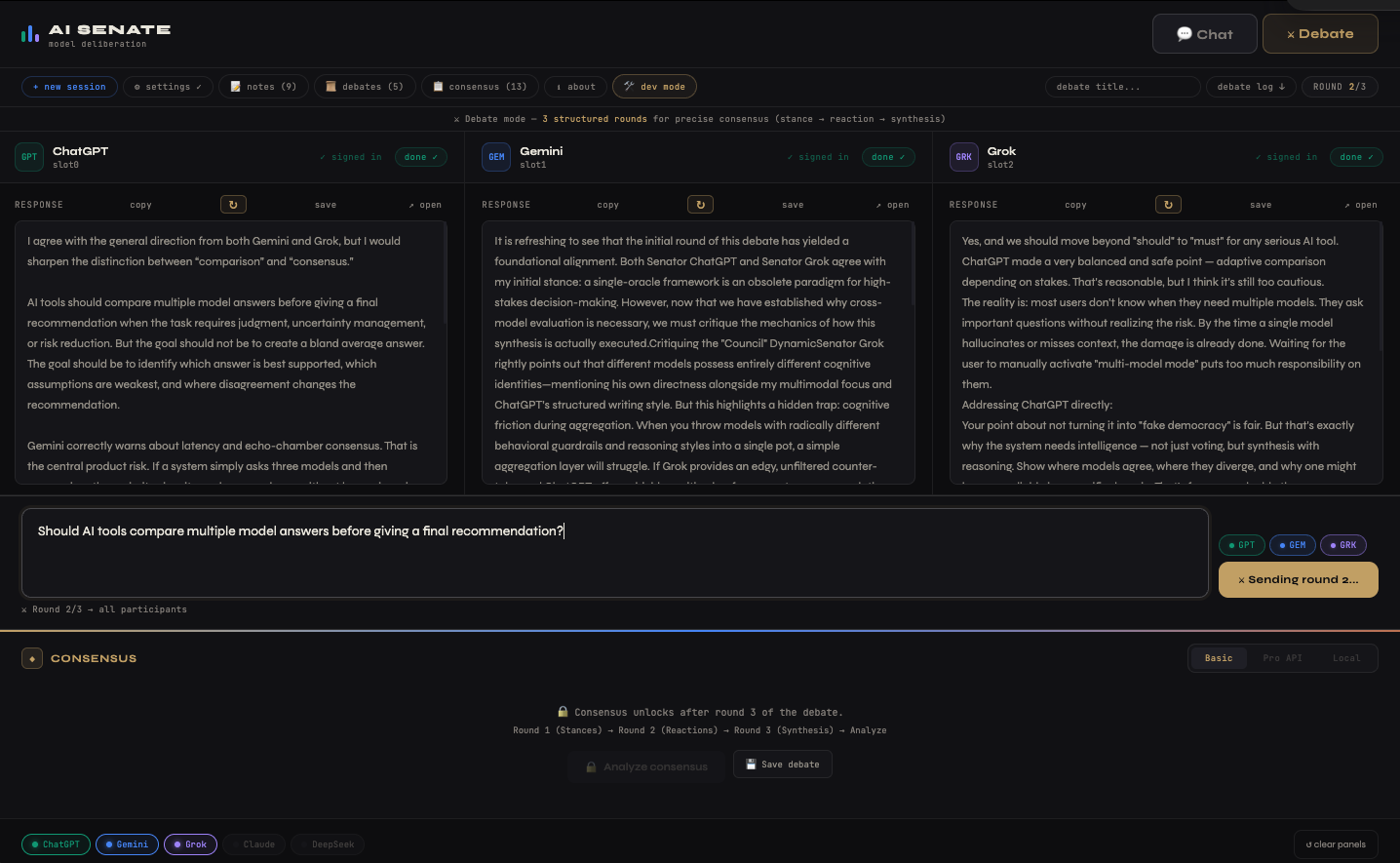
Stance → Reaction → Synthesis. A real deliberative process, not a one-shot prompt fan-out. Each model sees the others and responds.
Triple-Tier Consensus
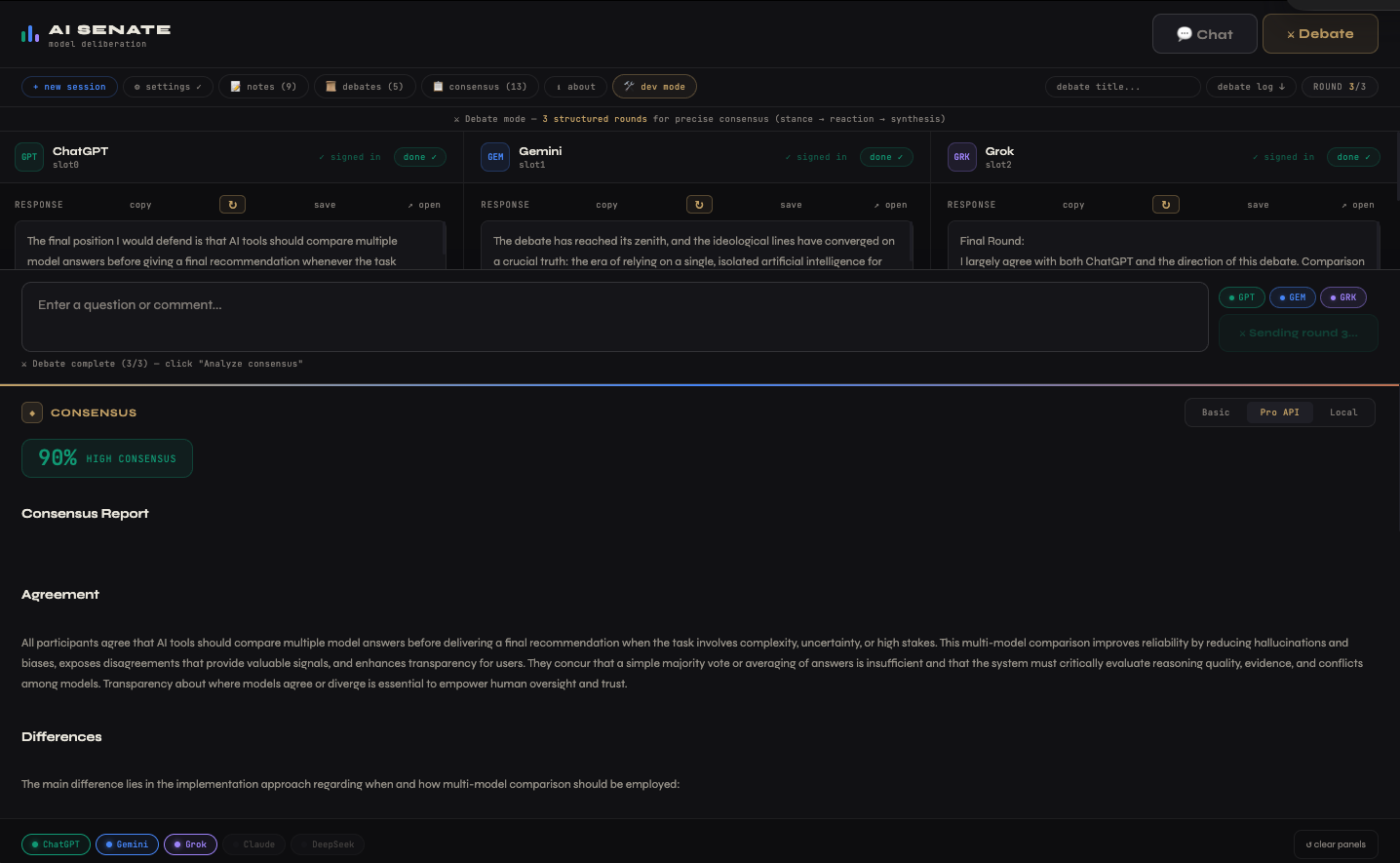
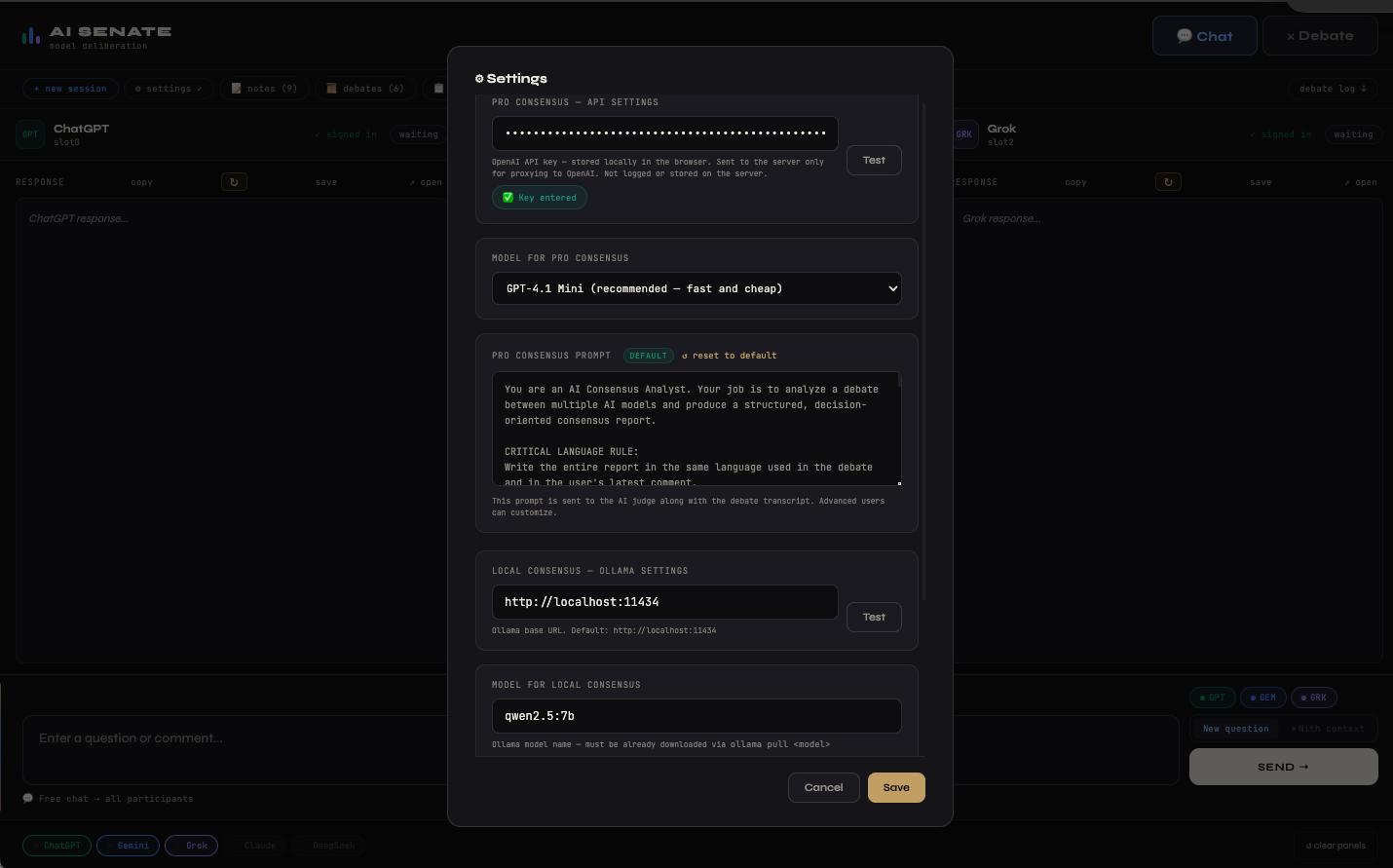
Basic (free, built-in), Pro (your OpenAI key + GPT-4.1 Mini judge), Local (Ollama on your machine). Pick the depth and privacy level that fits.
Privacy-First, No Database
No registration. No accounts on our servers. No telemetry. Notes, debates, consensus reports — all stored locally on your machine.
Five Models, Expandable
ChatGPT, Claude, Gemini, Grok, DeepSeek. Adapter-based architecture — new models roll out with updates as soon as adapters are ready.
Open discussion or formal deliberation — switch with one click.
Quick thinking out loud, with one to three models.
Brainstorming, quick comparisons, onboarding a new model, or sanity-checking an idea before going formal. Send a plain question, or toggle "With context" so models also see the previous responses and your comments — and can actually react to each other.
Three structured rounds for precise consensus.
Use Debate Mode when you want a clearer decision, stronger comparison of arguments, or a more formal discussion. Set an optional Debate Title so it's easy to find later in the Debate Archive.
Three ways to extract a final report from the debate.
Pick the consensus method that matches the depth and privacy level you need. All three live in the same Consensus Archive, linked to the original debate.
Basic Consensus
Built into the debate flow. The senators themselves produce a consensus block in Round 3. No setup, no API key, included with every license. Great for quick deliberations.
Pro Consensus
An external "judge" model — typically GPT-4.1 Mini — analyzes the full debate transcript and produces a structured, decision-oriented report. Often deeper than basic.
Local Consensus
Run the consensus analysis fully on your own machine via Ollama (e.g. qwen2.5:7b). Maximum privacy — nothing leaves your computer.
Built for serious thinking, not flashy chat.
Three panels for three senators. A unified input. A consensus dock that unlocks after Round 3. Everything where you need it.
Five senators in the chamber today. More joining.
Each model keeps its own native behavior, style, strengths and limitations — that's the whole point of running a senate instead of one super-model.
Max 3 senators per session · Debate Mode requires at least 2 · Chat Mode works with 1.
Simple. Honest. Predictable.
One-time Lifetime or annual subscription — both include every feature. No upsells, no tiers, no usage caps.
- ✓ All features unlocked — Chat, Debate, all consensus tiers
- ✓ Up to 3 devices per license
- ✓ All updates during the license period
- ✓ License key delivered by email
- ✓ Works offline after activation
- ✓ All features, all future updates
- ✓ Up to 3 devices per license
- ✓ Lifetime access — no renewal
- ✓ New models added free as adapters ship
- ✓ Early supporter status
All purchases via Lemon Squeezy. License key delivered by email — paste it into the app once. Already installed? Open AI Senate → License → Paste key.
Try every feature for 30 days. No card. No account.
All features unlocked during trial — full Chat Mode, full Debate Mode, all three consensus tiers. When the trial ends, just paste in a license key to keep going.
If Windows SmartScreen shows a warning, click More info → Run anyway. The installer is signed and the warning is normal for newly-released builds. Your local data is stored in the app's data folder (open via About → Open data folder).
What you'll need to run AI Senate.
Frequently asked questions.
Does AI Senate use API keys for the AI models?
Why do I need Google Chrome?
Do I need to log in to each AI model every time I open the app?
What if a model logs me out mid-debate?
Where is my data stored? Does anything go to InfoHelm?
What's the difference between Basic, Pro, and Local Consensus?
GPT-4.1 Mini) that reads the whole debate and produces a deeper, structured, decision-oriented report. Requires your own OpenAI API key. Local Consensus does the same kind of analysis but runs fully on your own machine via Ollama (e.g. qwen2.5:7b) — maximum privacy, nothing leaves your computer.